SiteScribe turns what you say on site into a complete daily report — work, delays, safety, crew, plant and photos — then hands you a branded PDF before you leave the gate.
Offline-firstEvery feature works with no signal. Sync is optional and per account.
Voice → reportDictate on site. AI organises it into the right sections — you stay in control.
Client-ready PDFsYour logo, your header. Daily reports and whole-project diaries.
Your data stays yoursNo ads, no profiling, no selling data. Delete everything any time.
How it works
Three steps between the site and a signed-off report.
Built around the way site managers actually work: fast capture during the day, one honest review, then share.
01
Talk, snap, tick
Tap the mic and describe the day. Add photos as you walk. Sign crews in, run the prestart checklist, log deliveries and plant.
02
Review the AI draft
AI sorts your words into Work, Delays, Safety, Labour and Materials. Every line stays editable — nothing is saved until you say so.
03
Preview and share
See the real PDF, then share it or email the client in one tap. Weather, GPS and signatures are already on it.
Everything on one site diary
Built for the whole day, not just the report.
The features contractors told us were missing from the apps they tried — all in one place, all working offline.
AI voice to report
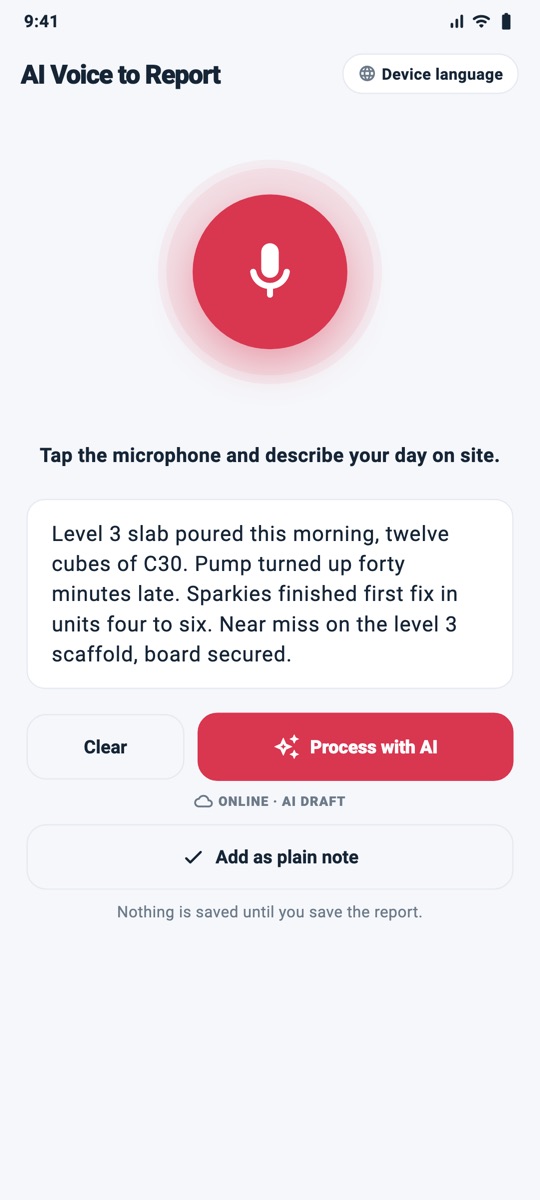
Speak naturally. SiteScribe transcribes on-device, then AI drafts the Work Completed, Delays, Health & Safety, Labour and Materials sections. Regenerate, edit, then use it in the report.
GPS-stamped photos, markup with arrows and circles, and an AI pass that lists what's visible so captions write themselves.
Weather & GPS, filled for you
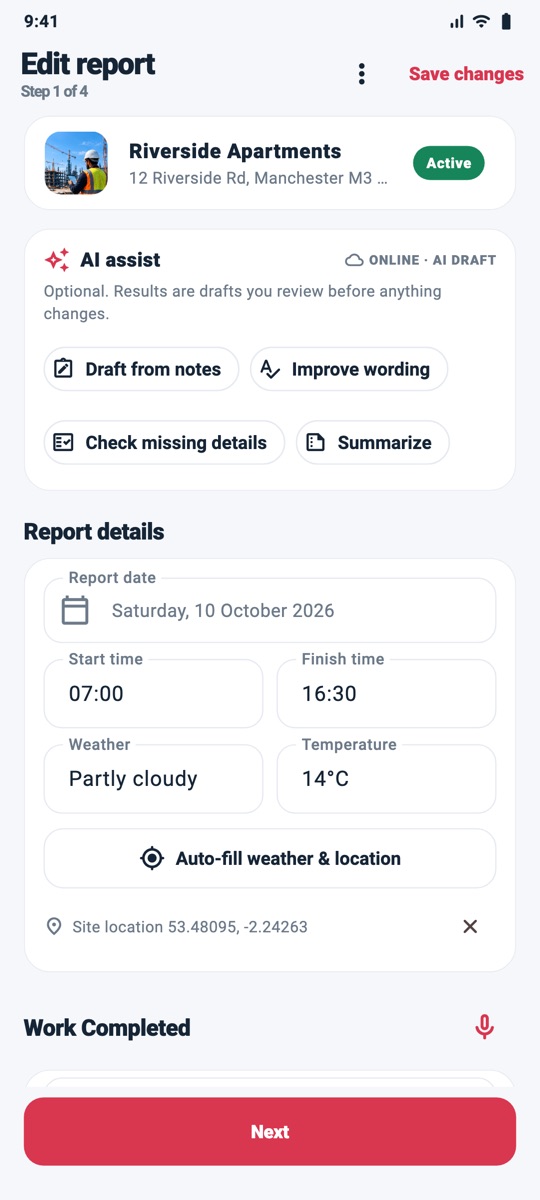
With location permission, open today's report and the conditions are already there — Open-Meteo weather (from coordinates rounded to about 1 km) and your site location, no typing. Switch it off any time in Settings › Report Preferences.
Site register & safety checks
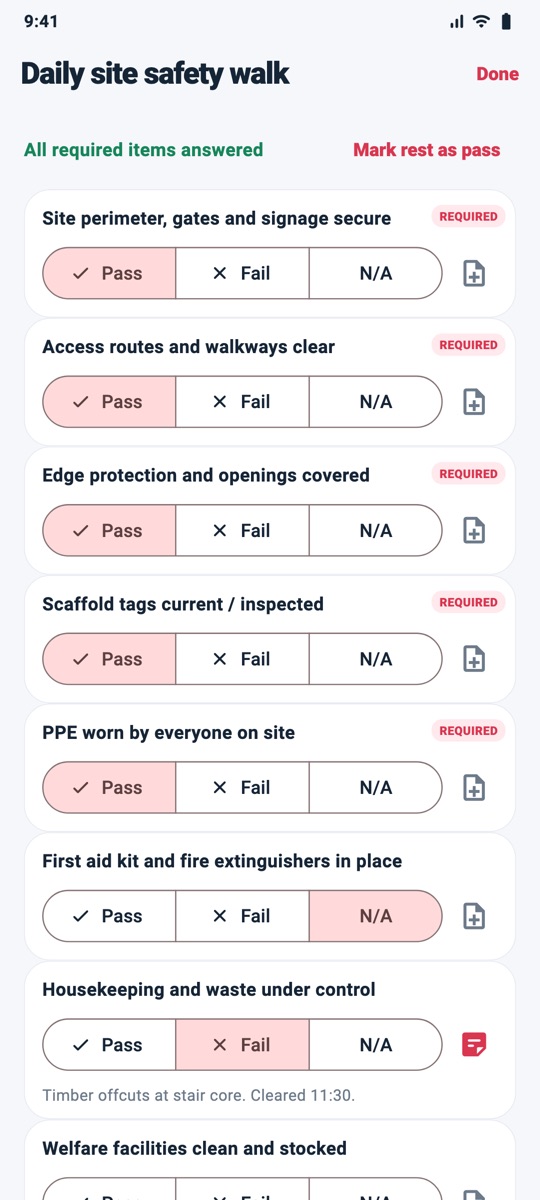
Sign-in sheet with inductions, toolbox talks with signatures, prestart and scaffold checklists — or build your own. Required items block finalising until answered.
Defects pinned on plans
Import PDF drawings or images, long-press to drop a pin, and a defect is raised at that exact spot — with photo, priority, assignee and due date.
Tasks, RFIs & change orders
Track open items per project with priorities and due dates. Overdue work is flagged before it costs you.
Timesheets & materials CSV
Per-worker hours from the sign-in sheet (overnight shifts included), plus materials and deliveries — exported for payroll or your accountant.
Insights
14-day activity, labour hours by trade, plant hours, open and overdue items — across every project.
Optional cloud sync
Use it with no account at all, or sign in to back up and sync across phones. Deletions sync too. Your choice, any time.
A look inside
Designed to be read at arm's length, in gloves, in the rain.
Big tap targets, high contrast and one obvious next step on every screen.
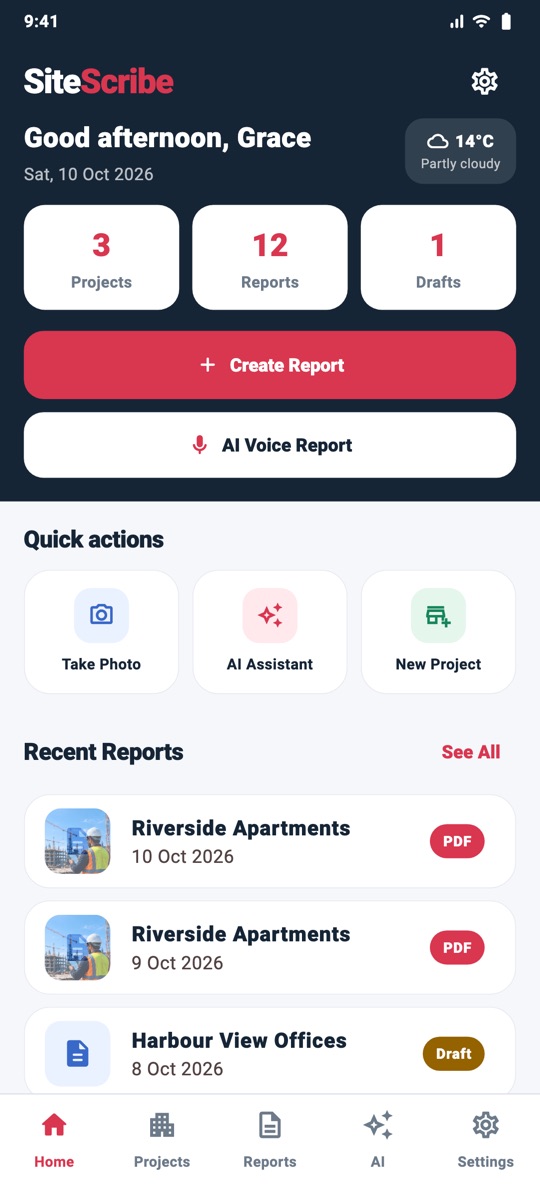
DashboardToday at a glance, one tap to a new report.
Voice to reportTalk on site. Get the sections.
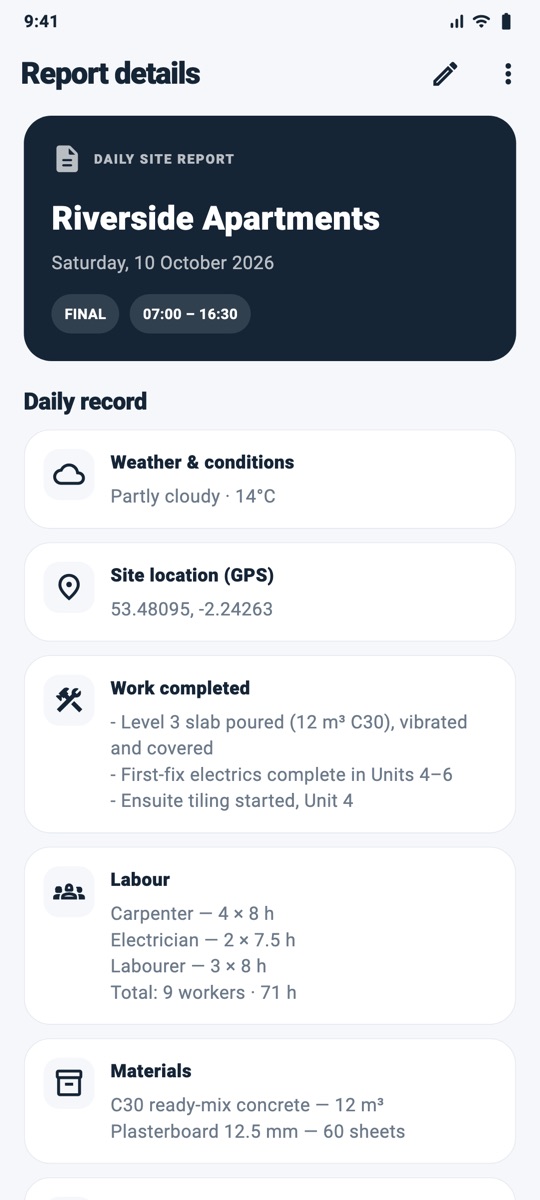
Work detailsWeather and GPS already filled.
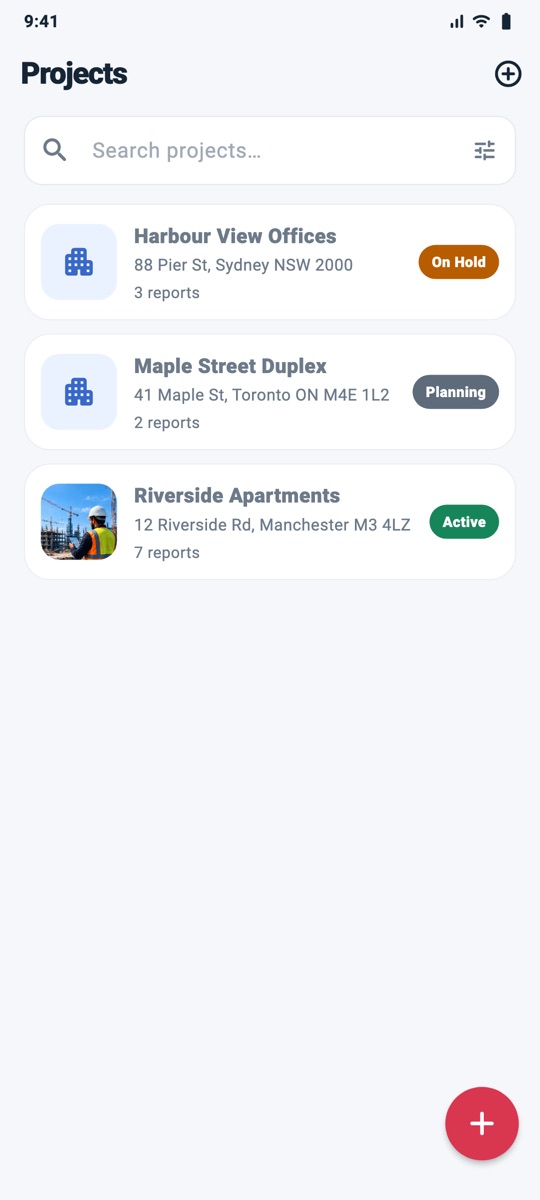
ProjectsEvery site with its photo, status and report count.
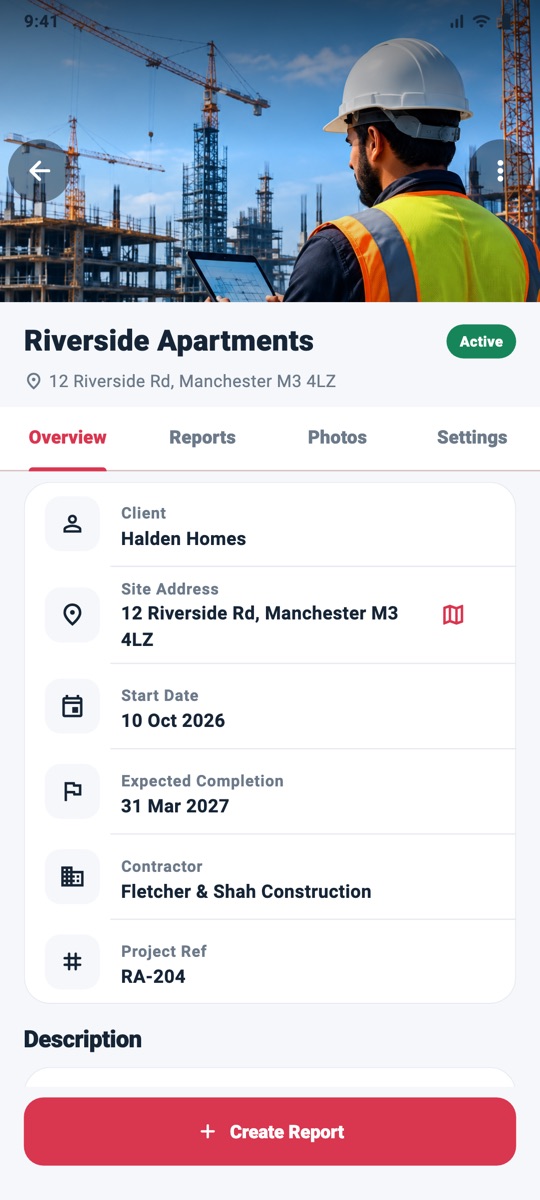
Project hubReports, photos, tasks, defects and plans in one place.
Safety checksRequired items can't be skipped.
Client-ready recordShare it before you leave site.
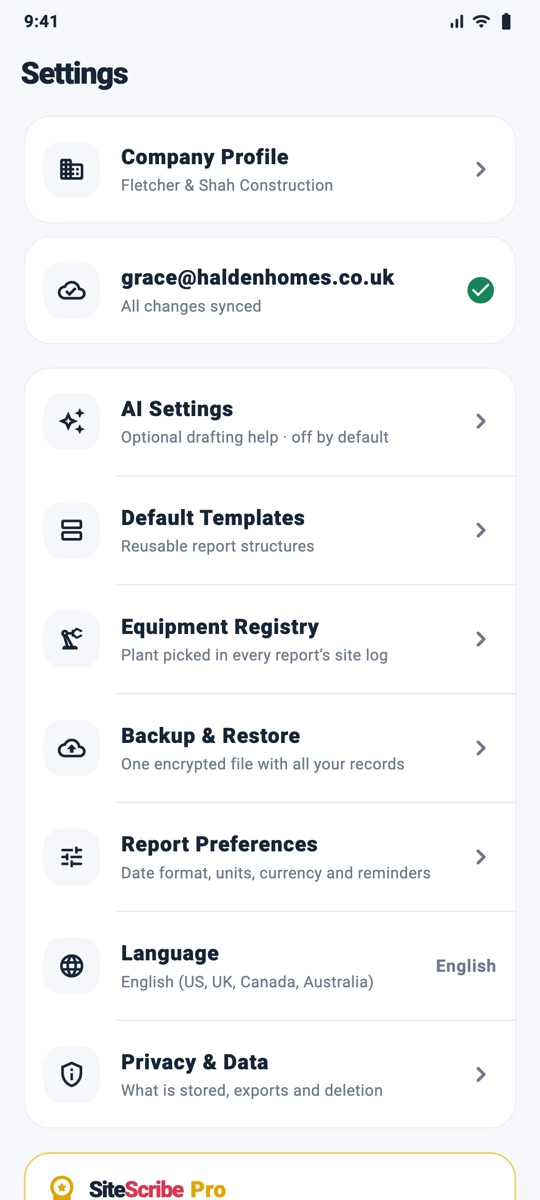
Settings & ProCompany profile, AI, templates, backups — and Pro when you want it.
Made for your market
Right units, currency and compliance language out of the box.
SiteScribe detects your region on first launch and sets sensible defaults. Change any of them in Settings.
US
United States
Imperial units · °F
USD · MM/DD/YYYY
OSHA-style incident & toolbox talk records
UK
United Kingdom
Metric · °C
GBP · DD MMM YYYY
HSE / CDM-friendly site diary and RIDDOR notes
CA
Canada
Metric · °C
CAD · DD MMM YYYY
Provincial OHS incident fields
AU
Australia
Metric · °C
AUD · DD MMM YYYY
SWMS / WorkSafe-style prestart checklists
Pricing
Free to run your site. Pro when you want AI and your brand on it.
Prices are shown in Google Play in your local currency. Cancel any time from your Play subscriptions — no calls, no forms.
Free
$0 forever
Everything you need to keep a proper site diary.
Daily reports & single PDFsWork, delays, safety, notes, photos, signatures
Site register, checklists, defects, plansIncluding custom checklist templates
Tasks, RFIs, timesheets, CSV exportsPer-worker hours and materials
Weather & GPS, backups, optional syncUp to 3 active projects
Your records are evidence. We treat them that way.
Most site apps make you create an account before you can type a word. SiteScribe doesn't — and when you do turn on sync or AI, you can see exactly what leaves the phone.
On-device by defaultReports, photos and projects live in the app's private storage. Back up to a single encrypted file whenever you like.
Sync is yours alonePer-account isolation enforced by server rules. Nobody else can read your project.
AI you can auditOnly the text or photo you choose is sent. Drafts are labelled AI-generated and never saved until you accept.
Delete everything, any timeWipe this device, or delete your account and all synced data from inside the app.
Questions
Straight answers.
Does it really work with no signal?
Yes. Reports, photos, checklists, defects, plans, PDFs and exports all work offline. Speech-to-text uses your phone's recogniser. The two things that need a connection are optional: AI assistance and cloud sync — and sync simply catches up when you have signal.
Do I have to create an account?
No. Choose "Use offline on this device" on first launch and you're in. You can sign in later from Settings if you want backup and multi-device sync.
What does the AI actually do with my words?
It sorts your dictated notes into the report's sections, tidies wording, points out missing details, and can describe what's visible in a photo. Everything comes back as an editable draft labelled AI-generated; nothing is written to your report until you accept it and save. Your content isn't used to train models.
Which countries and units are supported?
SiteScribe is built for the United States, United Kingdom, Canada and Australia. Units, currency and date format are set from your device region on first launch and can be changed any time. Weather works worldwide.
How does weather auto-fill use my location?
With your permission, SiteScribe uses your location to stamp photos and to fill in weather and location for new reports automatically. Only approximate coordinates, rounded to about 1 km, are sent to Open-Meteo; the precise position stays in your own report data. You can turn auto-fill off in Settings › Report Preferences.
How do subscriptions and cancellation work?
Pro is a Google Play subscription (monthly or yearly). Prices appear in Play in your local currency. Cancel any time from Google Play › Payments & subscriptions; you keep Pro until the end of the period you paid for. Tap "Restore purchases" on a new phone.
Can my team use it?
Today SiteScribe is designed for one account per person, with sync across that person's devices. Shared team workspaces are on the roadmap; tell us what you need at anupampradhan161@gmail.com.